Photos & Videos
Capture moments with your camera or choose from your library. Every visual memory, safely stored.
Capture photos, videos, voice memos and notes. Seal them in an encrypted time capsule. Rediscover your memories when the time is right.
Time Capsule is on iPhone today. Google Play is coming. Join here or on the dedicated Android waitlist page.
See FeaturesFree to download · No account required · Private
Interactive Demo
Suggested unlock windows
Choose a future date.
You can edit this anytime.
Tap to add
0 items
Locked
Done.
Your Capsules
Memories stay on your device. Download the iOS app for the full vault.
Download on the App Store0 characters
0:00
Record your voice, lock a memory, choose an unlock date, and share encrypted capsules when you want to.
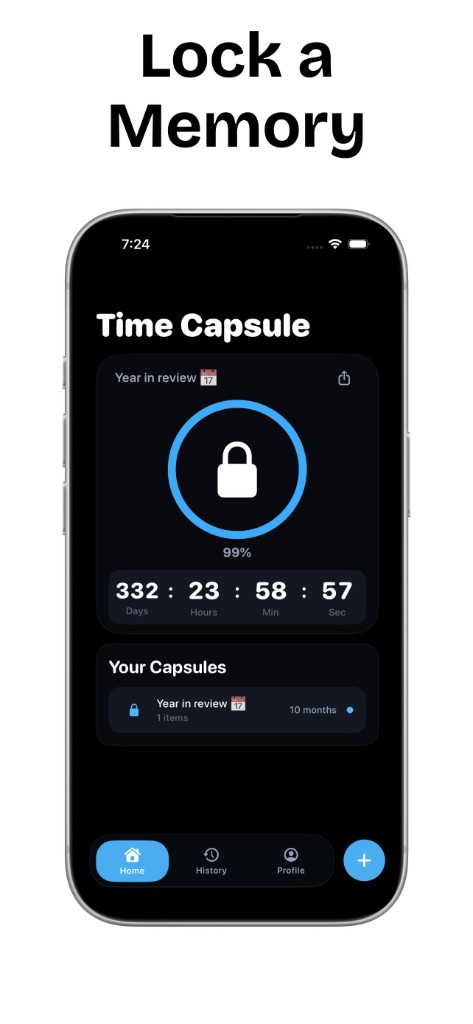
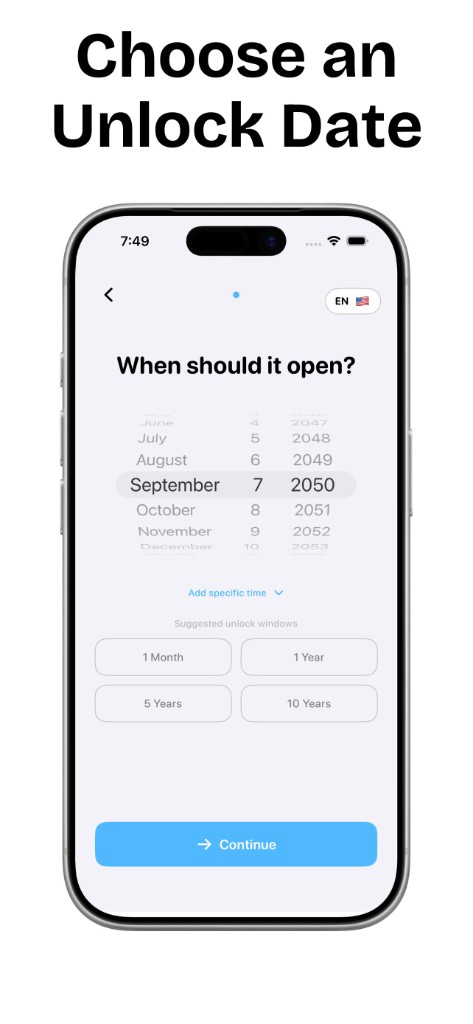
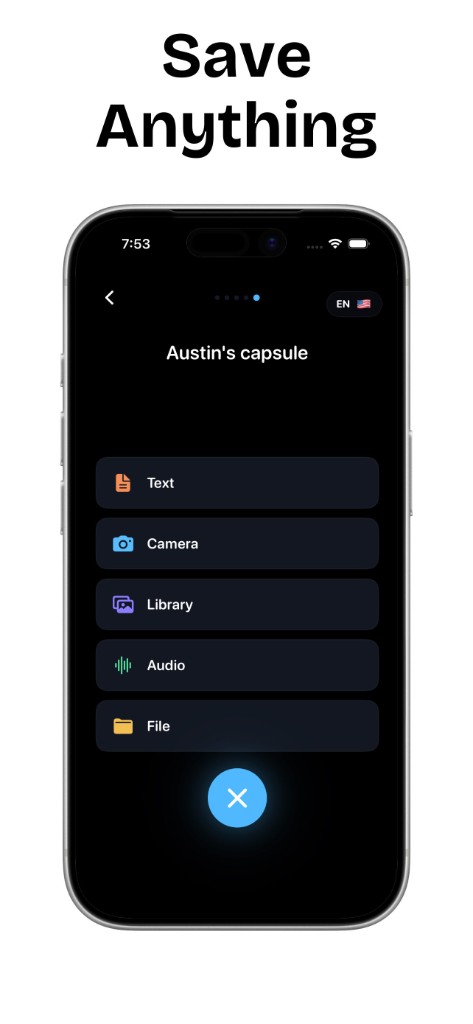
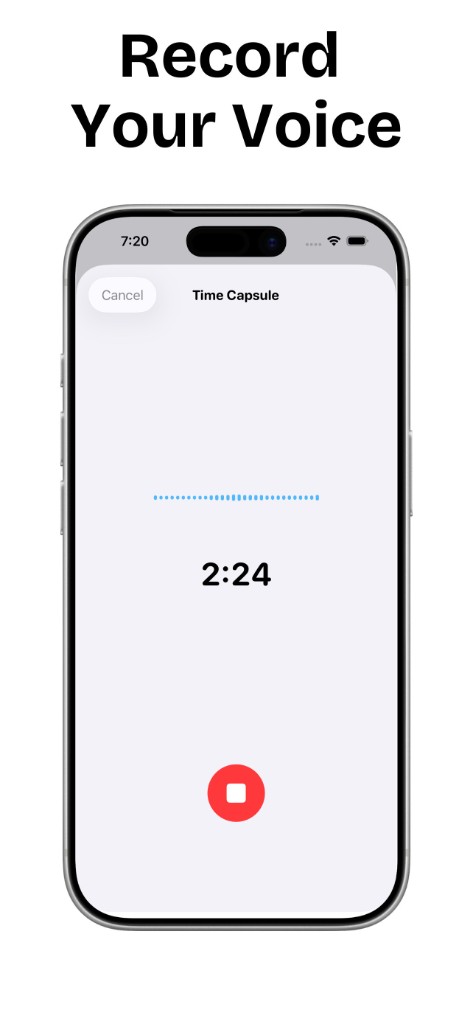
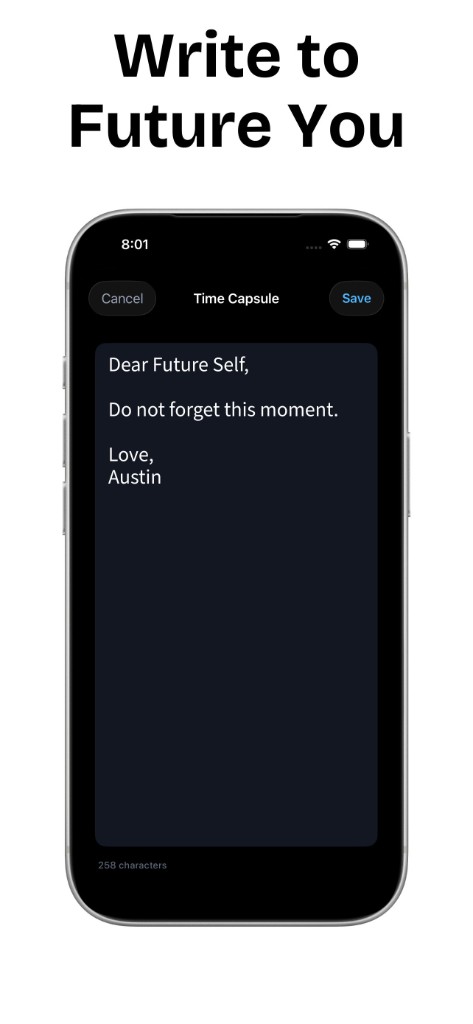
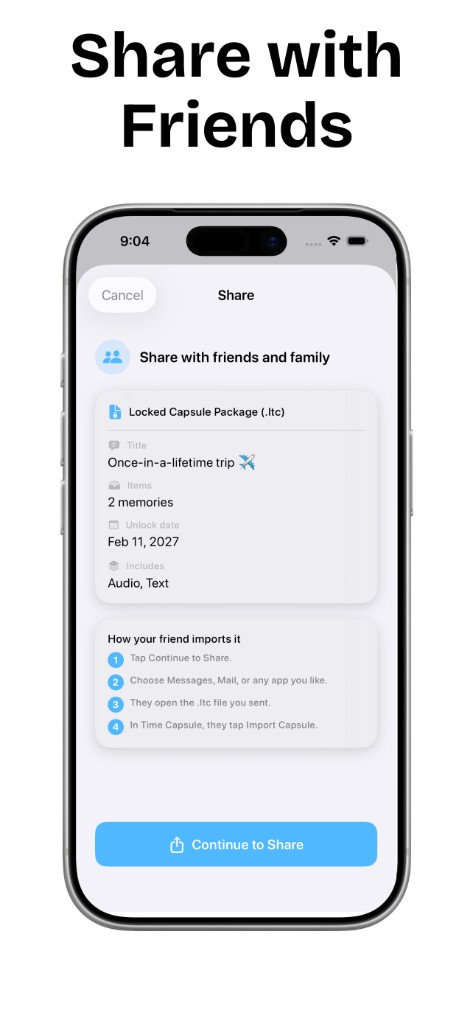
Time Capsule: Memory Vault is a time capsule app for iPhone running iOS 17 or later. Save photos, videos, voice memos, and letters to your future self, choose an opening date, and seal the capsule. Your memories stay on your device; no account is required. Free to download with optional Pro features.
Capture moments with your camera or choose from your library. Every visual memory, safely stored.
Record your thoughts, a message to your future self, or sounds that matter to you.
Write letters, journal entries, or quick thoughts to rediscover with fresh eyes.
Exported .ltc capsule files use AES-256 encryption through Apple’s CryptoKit. Your capsule contents stay on your device.
Set a date in the future. Watch the countdown in real time. Experience the reveal.
Choose from Midnight, Ocean, Sunset, Forest, Lavender, or Rose Gold.
Less than a minute. Your memories stay on your iPhone until unlock day.
Capture photos, record voice memos, write notes, or add files.
Choose when your capsule should open, tomorrow, next month, or years from now.
Hold to lock your capsule. When the time comes, rediscover everything inside.
Each theme transforms the entire app with carefully chosen colors.
Six ideas for your first time capsule.
Save photos from the past year and a message for a friend’s next birthday.
Explore the idea →Capture a school-year snapshot with goals, photos, and predictions to revisit at graduation.
Explore the idea →Write about life today and choose a future date to read your letter again.
Explore the idea →Keep messages, photos, and voice memos together for an anniversary capsule.
Explore the idea →Collect a group’s memories on one device, then export an encrypted capsule to share.
Explore the idea →Record what changed this year and what you hope to remember next year.
Explore the idea →Everything you need to know about Time Capsule.
Yes, Time Capsule is free to download with optional in-app purchases to unlock premium features. The core experience (creating, sealing, and opening time capsules) is available to everyone.
Yes. Capsule photos, videos, audio, and notes stay on your device and are never sent to analytics or advertising partners. Limited content-free events measure ad attribution and subscriptions. More privacy details.
You can add photos, videos, voice memos, text notes, and files. Mix and match as many items as you want in a single capsule. Learn more about the digital time capsule app.
Create a capsule, add a text note with your letter, optionally attach a photo or voice memo, set an unlock date, and hold to seal. Learn more: letter to future self guide.
You get an app workflow similar to “online” tools, but contents stay on your iPhone unless you export an encrypted .ltc file. Learn more about online time capsules.
No. Once you seal a time capsule, it stays locked until the date you set. The anticipation and surprise of opening it later is the whole experience.
Since all data is stored locally, deleting the app will remove all your capsules. You can export capsules as encrypted .ltc files to back them up first.
Time Capsule uses AES-256 encryption via Apple's CryptoKit framework to protect exported capsule files. Encryption keys are generated and stored locally on your device and are never transmitted.
Practical how-tos for letters to your future self, online capsules, voice memos, and birthday gifts.
Write it, lock it, open it later — prompts and steps in the free app.
Read guide → GuideApp workflow without uploading your private media to a random website.
Read guide → GuideWhat to look for: unlock dates, encryption, on-device storage.
Read guide → GuideRecord a message for the future and seal it until unlock day.
Read guide → GuideSend encrypted .ltc files to friends and family when you choose.
Read guide → GuideMilestone gift ideas with photos, voice memos, and notes.
Read guide →Ideas and inspiration for preserving your memories.
Lock a message away and rediscover it months or years later. Here's how to make it meaningful.
Read article → 5 minFrom friend group trips to wedding capsules, creative ideas for making memories together.
Read article → 7 minA simple script to close each year with intention: solo, as a couple, or with family.
Read article → 5 minCapture tone and emotion that text cannot. Prompts here make audio easy to record.
Read article → benchasemotivation
on Instagram
benchasemotivation
on Instagram
Free to download on the App Store. No account required. Everything stays on your device.
Download on the App StoreTime Capsule is iPhone-only for now. Join the waitlist above and we will email you when Google Play is ready.
Join Android waitlist